Align
Define the audience, standards, scope and lesson blueprint. For existing courses, measure and reuse completed work.
 INCEPT Course Builder
Alpha’s course factory, on your Mac
Start from scratch or bring an existing course. Your agent plans the blueprint, uses Content Factory to generate and check content, and assembles it for publication. Watch progress in your customized dashboard.
Claude Code · Codex · Hermes · tool-capable local agents

01 / Get started
Run this on your Mac. Sign in, describe your course and choose an agent. Setup opens your customized local dashboard; start the build from Terminal. Updates reuse your saved course and agent settings.
curl -fsSL https://joshuadurey-del.github.io/incept-course-builder/install.sh | bash02 / Know what remains
Your local dashboard follows your course’s coverage, completed work and your agent’s next action. It updates as progress is saved and stays available when you close Terminal or navigate away. Your agent handles routine setup and execution choices. If it needs a credential or other input, it gives you one clear request, a prepared action and steps to get access. The shared examples below show how course evidence is organized.
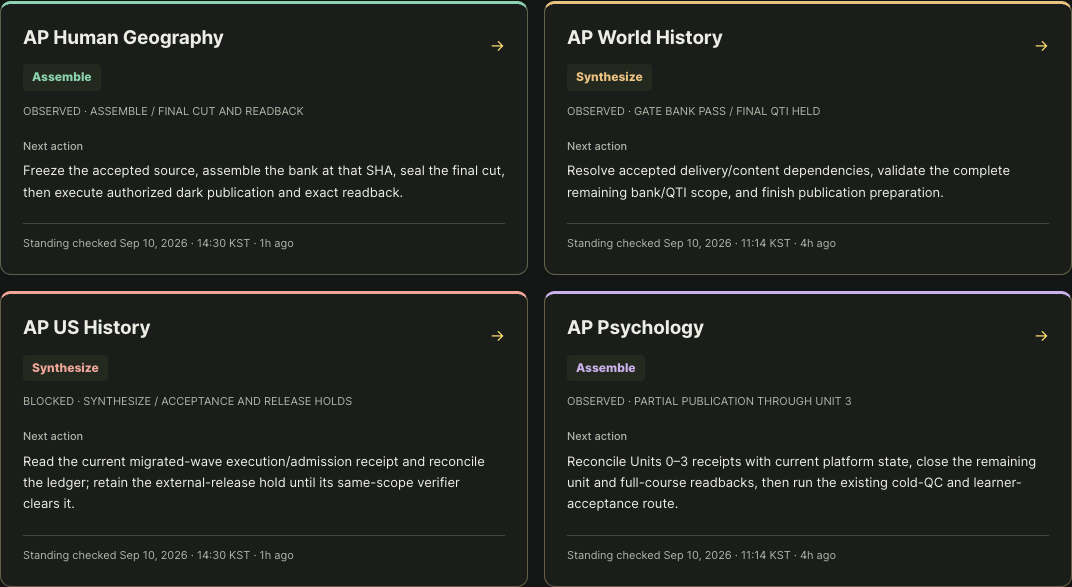
Shared workspace preview · course observations retain their own verification dates.
03 / Follow the native path
Define the audience, standards, scope and lesson blueprint. For existing courses, measure and reuse completed work.
Use Content Factory to generate lessons and assessments; prepare media and pass native quality checks.
Integrate accepted content and prepare the learner experience.
Verify the published course and complete its acceptance requirements.
04 / Inspect the value
Builder release evidence · September 10, 2026 · Measurement scope
Install your customized dashboard and start from a brief, or resume your saved course workspace.